

DataDefense
Know what data you have, who can touch it, and when it’s under attack, then stop the threat and recover in minutes. All from one agentless platform that keeps your on-premises data secure, sovereign and AI-safe.

Syslog CEF and REST, into the tool you already run





















What containment looks like in numbers.
Watch an attack get shut down.
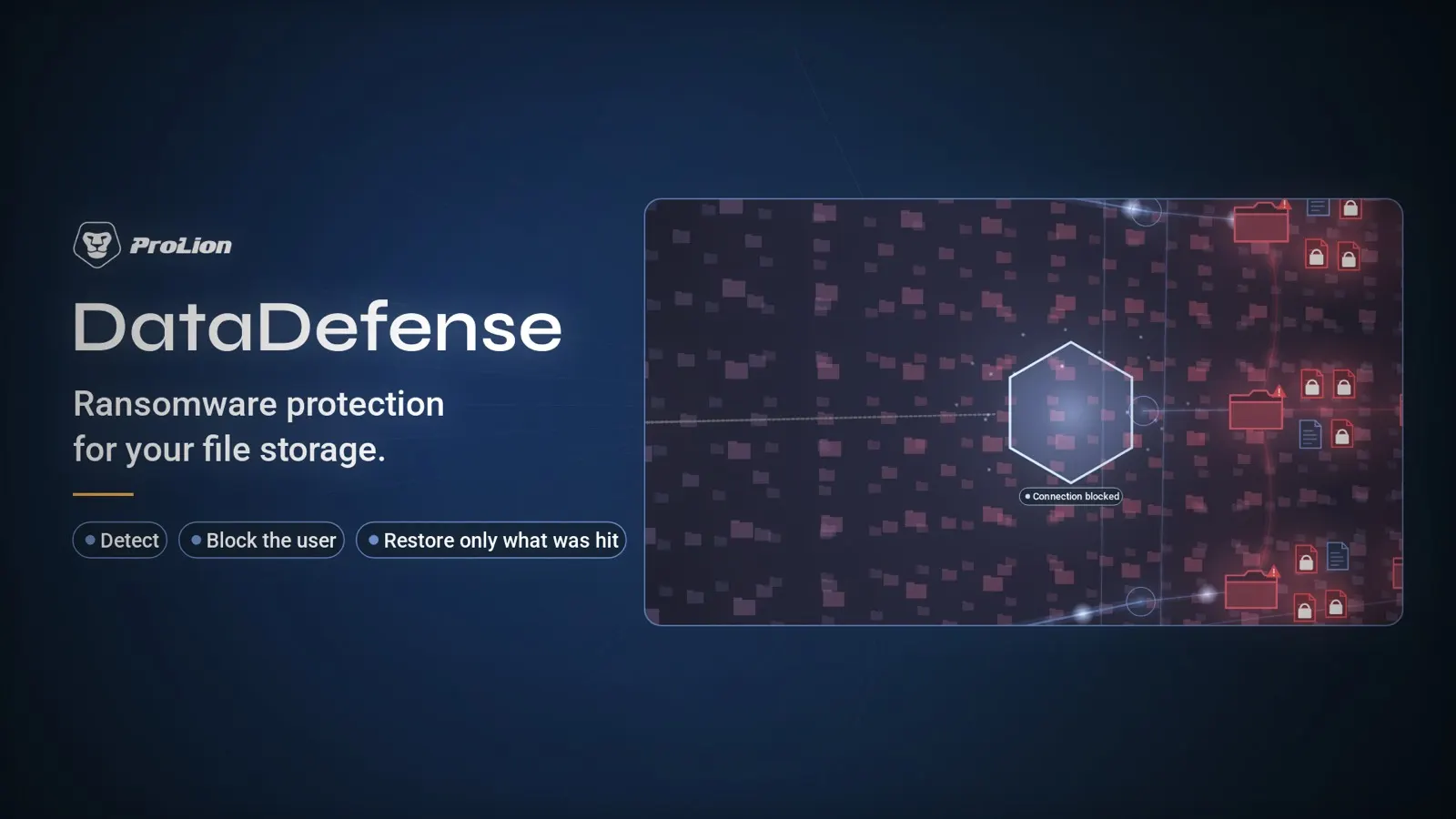
- Ransomware detection
- Automatic user block
- Precise file recovery
- Audit-ready
DataDefense, part by part.
One appliance beside your data. It watches every file operation, stops the account that turns on your data, and puts back what it reached.
Behavior detection
6,000+ known patterns, plus a baseline of what each account normally does.
Containment
The account is blocked in four seconds. Everyone else keeps working.
Single-file restore
Exactly the files it touched, from the last clean snapshot.
Audit trail
Every read, write, rename and delete, with user, path and timestamp.
Also included
Data reports, permission insight, four-eyes principle, single sign-on, and the handover to SIEM, SOAR and ITSM.
Let’s solve your data challenges.
Connect with our engineers to find the right approach for your infrastructure.
Detection that does not wait for a signature
6,000+ known patterns, plus a behavior baseline per user. A mass-rename at 03:00 by an account that normally reads twelve files is caught on its shape, not its signature.
Containment that does not stop the business
The account loses access within seconds. The share stays online and your SIEM gets the event immediately.
Restore the files, not the weekend
Snapshot-based cleanup of exactly what the blocked account changed. Not a full-volume rollback.
The audit trail you did not have
Every read, write, rename and delete — with user, path and timestamp. Searchable when the auditor asks.
Also included


“Without these solutions, I would feel less comfortable.”

FAQs
What IT, security operations and infrastructure teams ask in the first call — including where this sits next to what they already run.
Where does this sit in our security stack?
At the data layer, which is the one layer most stacks do not cover. Endpoint detection watches the machines you manage. Network tooling watches traffic. Backup watches the copy. ProLion watches the file operations arriving at the file system itself — every read, write, rename and delete, from every client, managed or not.
That position is the reason it can act rather than only alert: the same interface that reports the operation can refuse the next one from that account.
We already run EDR and a SIEM. What does this add?
Coverage and speed. EDR sees the endpoints it is installed on; it does not see the Linux build server, the contractor’s laptop, the appliance with an SMB mount, or the service account running from somewhere nobody documented. All of those reach the same shares, and the file system sees all of them.
The SIEM gets the event either way. The difference is that by the time the correlation rule fires, the account is already blocked.
How does it reach our SOC?
Syslog and CEF into the SIEM, so the detection lands in the same queue as everything else. SOAR playbooks can trigger the blocking and quarantine actions through the API. ServiceNow and Jira Service Management get an incident with the account, the files it touched and what was already done about it. Mail, Teams and Slack for the people who do not live in the console.
Nothing requires a ProLion console to be open for the event to be seen.
What exactly happens in those four seconds?
The clock starts at the first encrypted file and stops when the account is blocked. DataDefense reads the file system’s own file-operation stream, so there is no scan to wait for and no endpoint telemetry to correlate first.
Does it need an agent on every machine?
No. The appliance attaches to the file system itself and sees every read, write, rename and delete from there. Nothing is installed on clients or servers, which is also why it covers machines your endpoint tooling never reached.
What does it do to performance?
It depends on the mode you choose. In synchronous mode the file system waits for a verdict before completing the operation, which is what makes blocking possible and what adds a small latency budget per operation. In asynchronous mode it does not wait, so there is no added latency, and detection is a moment behind rather than in line.
Which mode fits which share is a design decision we go through with your IT team before anything is enabled — usually synchronous on the shares that matter and asynchronous on the rest.
What happens if the ProLion appliance itself goes down?
The behavior is configurable, because the right answer differs by site: either file operations continue without inspection, or the file system refuses them. Most organizations run availability on the appliance instead of accepting either extreme, and the platform supports that.
This is one of the first questions an IT team asks, and it belongs in the design session rather than in a footnote.
Does it work without an internet connection?
Yes. Detection, blocking and recovery all run locally on your hardware. There is no cloud lookup in the path and no telemetry requirement, which is what makes dark-site operation possible at all.
What happens to the files that were already encrypted?
You get the list of exactly which files the account touched, and restore those files from the last clean snapshot — file by file, not a full-volume rollback that costs you everyone else’s morning.
Which systems are supported?
NetApp ONTAP, Lenovo DM-Series, Dell PowerScale, PowerStore and Unity, and Windows File Server 2019, 2022 and 2025. Each through its own native interface — FPolicy, CEE, or the ProLion Security Service.
What happened to CryptoSpike?
CryptoSpike is now part of ProLion DataDefense and is no longer sold as a standalone product.
Who can block an account, and could that be abused?
Blocking is a role, not a general permission, and every administrative action in ProLion is itself audited — including who changed a detection rule and when. The four-eyes principle can be put in front of the destructive actions, so a second person has to agree.
Talk to an engineer who knows your data.
Four fields, and somebody who knows ONTAP, PowerScale and what FPolicy does. Not a qualification call.