



The window for catching a ransomware attack before it does serious damage is smaller than ever. With AI, hackers can launch devastating attacks within hours or even minutes.
Is your team able to detect and block ransomware attacks? If not, keep reading. This article covers the warning signs to watch for, and how to stop an attack before your data gets encrypted and leaked.
What Is Ransomware Detection, and Why Is It Important?
Ransomware is a type of malware that encrypts an organization’s files and blocks access until they pay the ransom. In many cases, attackers also steal sensitive data, threatening to leak it publicly. Ransomware detection is the process of identifying and recognizing ransomware threats within a computer system or network.
The faster you can detect ransomware, the better. Here’s why:
The earlier you detect the ransomware, the more likely it is you can prevent the encryption of critical data, block unauthorized access, and minimize the potential damage.
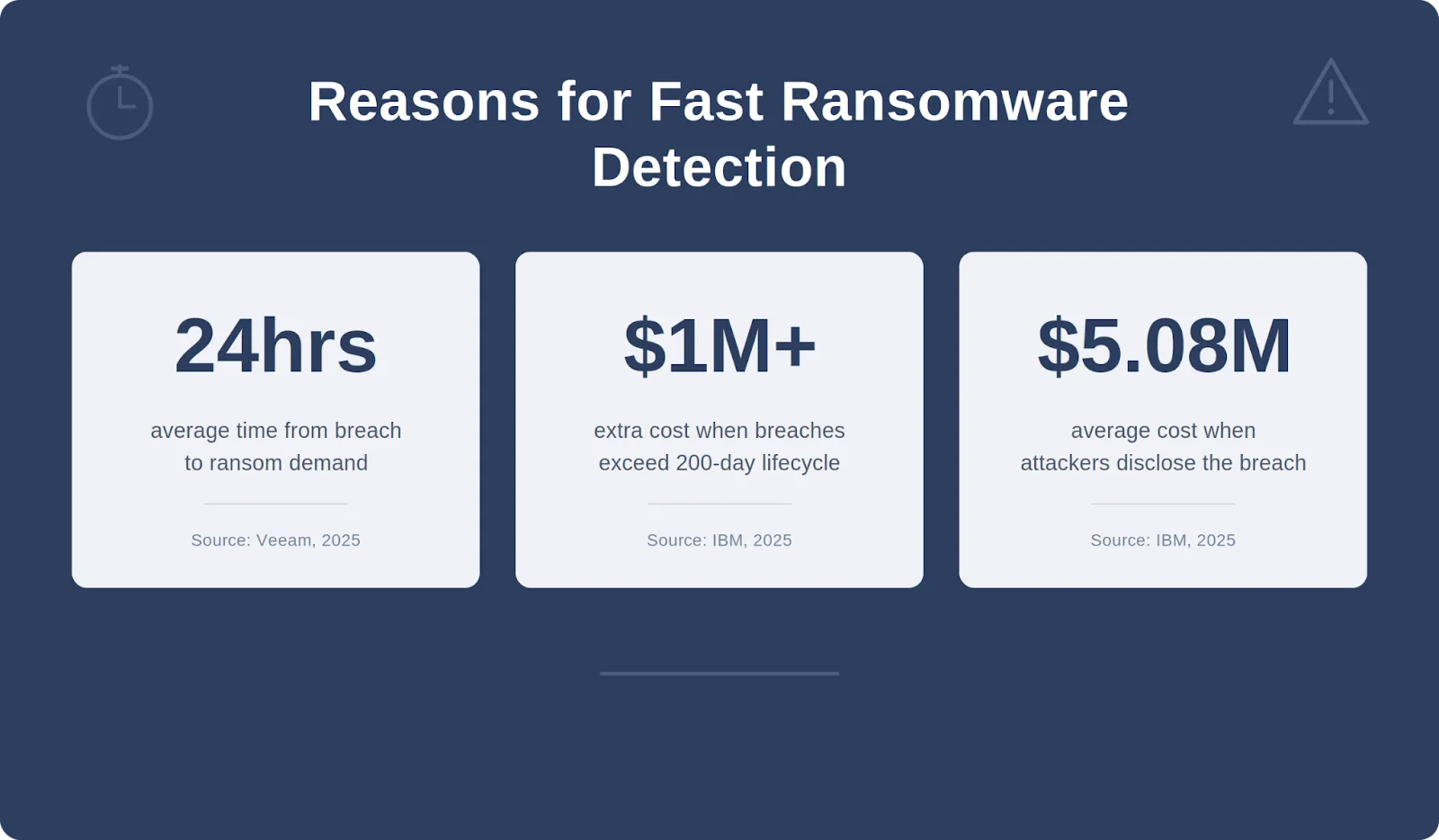
Ransomware attacks are getting faster as hackers increasingly use AI to automate attacks. The average time from breach to ransom demand has dropped to just 24 hours. And according to IBM’s 2025 Cost of a Data Breach Report, speed of detection has a direct impact on cost. Breaches with a lifecycle under 200 days cost an average of $3.87 million, while those exceeding 200 days cost $5.01 million. That’s over a million dollars more, simply because the attack wasn’t caught fast enough.
Also, when the attacker is the one who discloses the breach, the average cost jumps to $5.08 million, compared to $4.18 million when internal teams catch it first.
The takeaway is simple: the faster you detect the breach, the less it costs and the more options you have.
What Are the Signs of a Ransomware Attack?
Ransomware doesn’t appear out of nowhere. There are almost always warning signs in the days or weeks before an attack detonates, but many are subtle and easy to miss without the right monitoring in place. Here’s what to watch for:
- Unusual spikes in file modifications, renames, or deletions, especially outside business hours
- Unexpected file extension changes (like .locked or .encrypted)
- User or service accounts accessing files or systems they wouldn’t normally touch
- Changes to backup infrastructure: deleted shadow copies, disabled schedules, modified retention policies
- Unusual outbound data transfers to unfamiliar destinations
- Multiple failed login attempts, unexpected privilege escalation, or new admin accounts appearing
These signals often overlap, and spotting them manually isn’t realistic at scale. That’s where detection tools come in. There are three primary methods organizations use to identify ransomware activity, and the most effective strategies combine all three.
How to Detect a Ransomware Breach
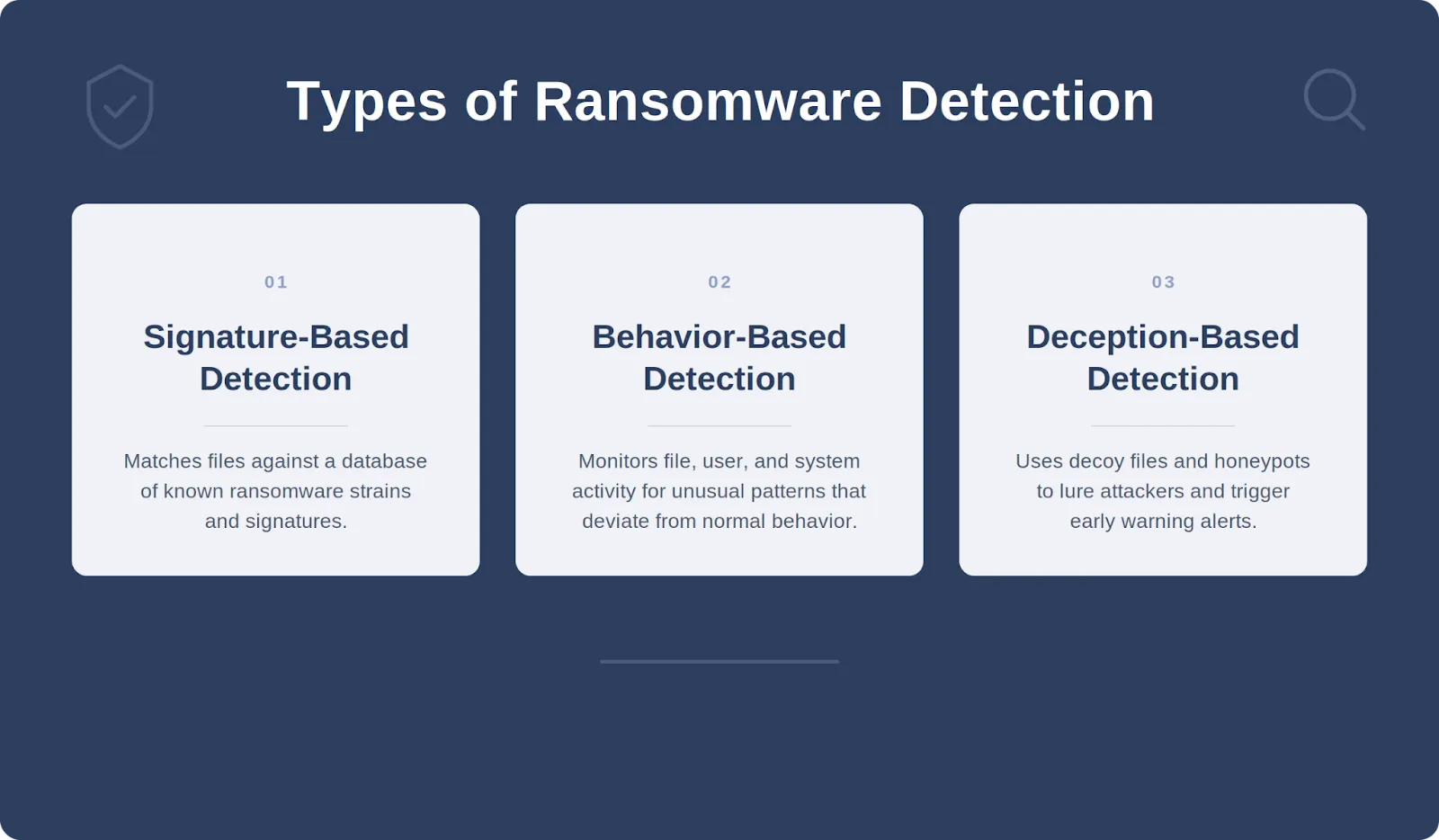
There are three main methods to identify and mitigate threats, ideally before they compromise an organization’s network. Here are three primary types of ransomware detection techniques you can leverage to detect a breach.
Signature-Based Detection
Signature-based detection scans the files in your system and looks for known ransomware extensions (unique suffixes added to the names of encrypted files). When threat actors infiltrate your system, they often encrypt your files, modifying the file name.
For instance, if you have files in your system called “financial_report.docx.locky” or “financial_report.docx.wannacry,” that would be a strong sign that you have been infected with Locky or Wannacry ransomware.
ProLion has an extensive database of known threats which is regularly updated. Our ransomware detection tool, DataDefense, identifies suspicious ransomware signatures in your system, immediately detecting the ransomware and alerting you to its presence.
Behavior-Based Detection
Unlike signature-based detection that relies on known patterns, behavior-based detection focuses on observing the behavior of files and applications to spot unusual activities that could indicate a ransomware attack.
This method monitors for signs such as rapid file encryption, unexpected system changes, and unusual network traffic. It’s especially useful for spotting new ransomware strains without an identifiable signature. Behavior-based detection systems analyze:
- File System Changes: Monitoring for an excessive number of file modifications, such as renames or rapid changes in file contents, which are typical signs of encryption attempts
- Network Traffic Anomalies: Checking for any unusual data flows to external servers, which might suggest data exfiltration or communication with command and control centers
- Suspicious API Calls: Reviewing API calls made by applications to detect any actions that are commonly used by malware, such as attempts to check for sandbox environments or to escalate privileges
ProLion’s DataDefense monitors your system 24/7 to identify and block suspicious activity in real-time. This assures a high level of ransomware protection.
Deception-Based Detection
Deception-based detection techniques use traps and decoys, known as honeypots, to attract and trick cyber attackers. They are set up to look like regular servers or user systems, but aren’t actually in use. Instead, the organization monitors the honeypots to see who is trying to access them, providing an early warning of a breach.
Honeypots are a controversial security practice and generally less reliable than signature-based and behavior-based detection methods. Security teams are essentially guessing where to place honeypots in the network, hoping they’ll be found by threat actors. However, honeypots can work well as part of a comprehensive security strategy.
By combining these methods, organizations can enhance their ability to detect a wide range of ransomware attacks. Implementing multiple detection layers ensures that even if one method fails, others can still provide critical protection, keeping organizational assets safe and minimizing the risk of significant damage.
3 Best Practices for Detecting Ransomware Early
Effective ransomware detection is a critical component of a comprehensive cybersecurity strategy. To enhance your organization’s ability to detect and respond to ransomware threats, consider the following best practices:
- Implement Layered Security Measures
Employ a multi-layered security approach that includes endpoint protection, firewalls, email filters, and advanced ransomware detection technology, like ProLion. This defense in depth helps to catch ransomware at different stages of the attack process, from initial entry through email or malicious downloads to behaviors indicating a compromise within the network.
- Foster a Security-aware Culture
Continually train and educate your staff about cybersecurity best practices, including recognizing the signs of a ransomware attack. A well-informed workforce can act as an effective first line of defense against cyber threats, including insider threats.
- Use ProLion Ransomware Detection
Our advanced ransomware detection software, DataDefense, monitors your network 24/7 and takes immediate action to prevent suspicious users from infiltrating your network. It identifies anomalies in real-time, such as unexpected encryption of files or suspicious traffic, so you can detect and prevent attacks instantly.
Don’t Wait for a Breach
The faster you detect and prevent ransomware, the better.
Want to see ransomware detection in action? Watch the demo and see firsthand how proactive ransomware protection can safeguard your organization’s data, or check out our free guide to ransomware protection for security professionals.